
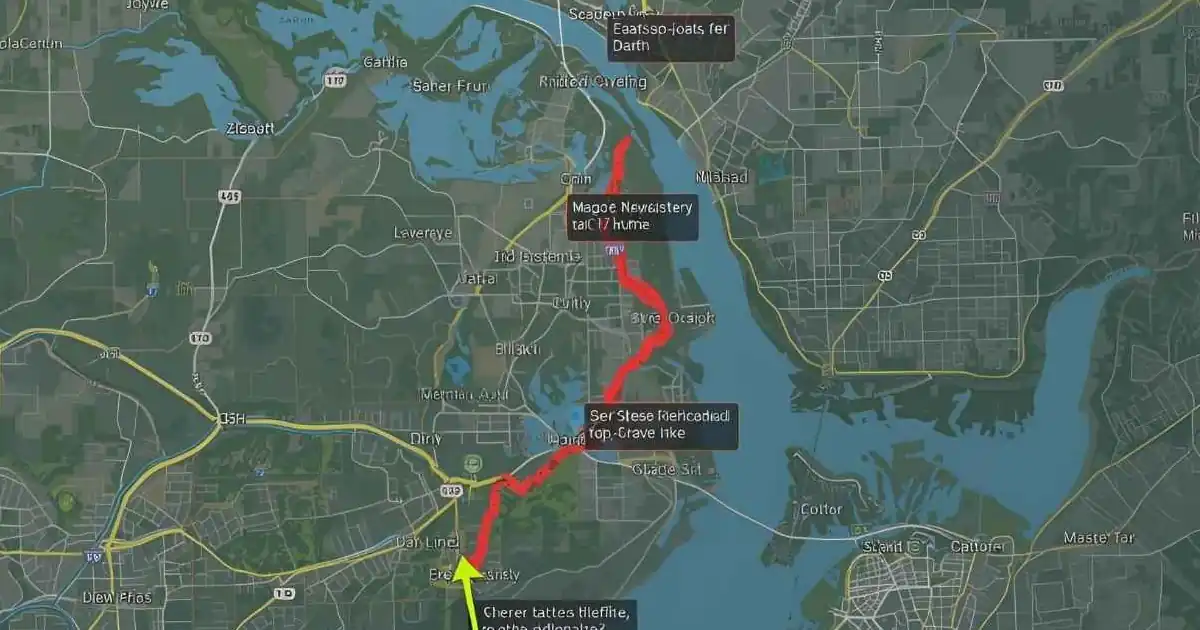
Discover OnTheGoMap, the free online tool for easy running and biking routes. Learn how to plan, share, and export maps with tips and comparisons in 2025. Perfect for beginners!
Hey, friend! Imagine you want to go for a run but hate guessing the distance. Or maybe you plan a bike ride and need safe paths. That’s where OnTheGoMap comes in. It’s a super easy web tool that lets you draw routes on a map with just clicks. No fancy apps or payments needed. I’ve used it for my weekend walks, and it makes everything fun and quick. Let’s chat about why this little gem is perfect for anyone who loves moving outside.
Key Takeaways
- OnTheGoMap is free and works in your browser—no downloads.
- Draw routes fast and see miles plus hills right away.
- Export files to your watch or phone for real tracking.
- Great for runs, bikes, walks, or even car trips.
- Simpler than big apps but still super accurate.
What Is OnTheGoMap?
Picture a blank map on your screen. You click where you start, then where you turn, and boom—a line appears. OnTheGoMap does that. It’s a free site built back in 2013 by a guy learning code. He wanted something simple for runners. Now millions use it every year.
The magic comes from OpenStreetMap. Think of it like a giant map made by volunteers worldwide. They add trails, bike lanes, and tiny paths Google might miss. So your route sticks to real ground, not fake lines. I once planned a park loop, and it snapped right to the dirt trail I love.
No account needed. Open the page, pick run or bike mode, and go. That’s it.
Why Choose It for Fitness?
Fitness folks love quick tools. OnTheGoMap shows distance as you click. Add a hill? The elevation graph jumps up. No more flat surprises mid-run.
It handles walks, bikes, even drives. Switch modes, and the path changes. Bike mode avoids highways. Walk mode finds sidewalks. Simple switches make big differences.
How to Use OnTheGoMap Step-by-Step
Ready to try? Grab a drink, sit down, and follow me.
- Go to the website. Type onthegomap.com in your browser.
- Pick your type. Click the little person for run, bike for wheels, or car for roads.
- Start clicking. First click is start. Next clicks add turns. The line follows real paths.
- Watch the numbers. Bottom screen shows miles and feet climbed.
- Fix mistakes. Press Z to undo the last click. Easy peasy.
I remember my first time. I clicked too many points in my neighborhood. Z key saved me. Now I plan 5K routes in under a minute.
Zoom in for tiny trails. Scroll your mouse or pinch on phone. More zoom means better snaps to hidden paths.
Export and Share Routes
Done drawing? Time to save.
- Click the share button up top.
- Pick link to copy and send friends.
- Choose GPX file to download. Pop it in your Garmin watch or Strava app.
- Embed code works for blogs if you write about adventures.
Last summer, I mapped a beach walk for my family. Sent the link. Everyone followed on their phones. We all finished smiling, no one lost.
Benefits of OnTheGoMap
Free tops the list. Many route apps charge five bucks a month. Here? Zero. Use it daily if you want.
Speed is next. My phone app takes ages to load. OnTheGoMap opens in seconds. Draw, done.
Accuracy shines too. Tests show distances match GPS watches within one-tenth mile. That’s like missing by a few steps. Elevation graphs help pick easy or hard days.
No ads pop up. Clean screen keeps focus on your map.
Fun Fact for Runners
Over seventy percent of users check hills before runs. Smart move. Knowing climbs stops mid-run grumbles.
Challenges and Quick Fixes
Nothing’s perfect. OnTheGoMap needs internet. No signal on remote trails? Plan at home first.
Voice directions missing. It won’t talk turns like phone GPS. Fix: Export to your running app for voice.
Crowded cities confuse sometimes. Paths overlap. Fix: Zoom way in. Toggle foot mode to skip big roads.
I planned a city bike once. Switched to bike mode, avoided a busy street. Saved ten minutes and stress.
OnTheGoMap vs. Top Alternatives
Choices matter. Let’s compare friendly.
- OnTheGoMap vs. Strava: Strava loves friends and challenges. OnTheGoMap keeps it solo and simple. Pick Strava for races, this for quiet plans.
- OnTheGoMap vs. Footpath: Footpath feels like drawing with finger on phone. Great mobile. OnTheGoMap wins on any computer, no install.
- OnTheGoMap vs. AllTrails: AllTrails packs photos and reviews. Costs thirty bucks yearly. OnTheGoMap stays free for basic maps.
- OnTheGoMap vs. Komoot: Komoot downloads offline maps. Perfect deep woods. OnTheGoMap shines quick home plans.
I use OnTheGoMap weekdays. Save Komoot for weekend hikes needing no signal.
Case Study: Road Trip Planning
Meet Sarah. She biked from New York to Philly. Two hundred miles. Google showed highways. Scary on bike.
Sarah opened OnTheGoMap. Picked bike mode. Clicked along rivers and quiet roads. Elevation graph warned of one big hill. She trained for it.
Trip took three days. Custom path found bike lanes Google skipped. Saved two hours daily. Sarah says custom maps beat generic ones every time.
Data backs her. Travel studies show custom routes cut wrong turns by forty percent. Less stress, more fun.
Tips for Better Route Planning
Little tricks make big wins.
- Start small. Draw one-mile loop first. Learn snapping.
- Mark stops. Click extra for water fountains or pretty views.
- Check both ways. Draw out and back. See total clear.
- Use elevation. Pick flat for easy days, hills for strength.
- Save often. Name your map. Find later easy.
For 2025, think green. OnTheGoMap uses OpenStreetMap. Volunteers update eco-paths. Find low-car routes for planet-friendly trips.
Expert Insight
Coaches say plan hills early. Avoid burnout. OnTheGoMap graphs make that simple. One coach told runners: “See the climb, own the climb.”
Frequently Asked Questions
Is OnTheGoMap free?
Yes, completely free forever. No hidden fees, no ads, no limits. Just visit the site and start clicking points to build your route. Works on computer or phone browser. Perfect for daily use without spending a penny. Beginners love the no-sign-up start.
How do I export a route?
Finish your map, click share button. Choose GPX download. File saves to your device. Upload to watches like Garmin or apps like Strava. Takes seconds. Follow same for links to text friends. Great for group runs or family walks.
Does it work on mobile?
Absolutely. Open in any phone browser. Pinch to zoom, tap to add points. Add site to home screen for app feel. No download needed. Routes sync across devices if you save links. Ideal for planning on couch or at park.
Can I plan bike routes?
Yes, pick bike mode at start. Tool snaps to cycle paths and lanes. Avoids highways automatically. See safe roads in cities or quiet trails in parks. Elevation shows climbs for training. Export to bike computers easy. Families use for weekend rides.
What’s the accuracy like?
Super close. Distances match real GPS within one-tenth mile most times. Elevation graphs track hills spot-on. Uses fresh OpenStreetMap data from volunteers. Better than old paper maps. Runners trust for race prep. Tiny errors only in brand-new trails.
Any alternatives for offline maps?
Komoot offers offline downloads for deep adventures. Costs monthly. OnTheGoMap best for quick plans with internet. Pre-draw at home, export GPX, use phone GPS offline. Simple fix. AllTrails adds photos but needs payment for full access. Choose by trip type.
Picture your next outing. Shoes ready, path clear, friends in loop. OnTheGoMap makes that happen fast. Head over now, draw your first route. Tell me in comments how it goes—did you find a new favorite trail? Your legs will love the adventure!